
Índice
Retrabalho é um assassino silencioso de lucros que joga todo o seu cronograma de entregas no caos. Fábricas de alto volume perdem regularmente de 5% a 10% do que produzem diariamente devido a erros que — honestamente — poderiam ter sido evitados. Para controlar isso, você realmente precisa de uma combinação sólida de estabilidade. tinta plastisol para serigrafiaConfigurações de cura consistentes e atenção rigorosa à tensão da malha são essenciais. Reduzir a taxa de retrabalho não apenas salva a peça, como também diminui seus custos instantaneamente e evita que seus clientes procurem outras opções.
Passei anos em fábricas vendo milhares de dólares em moletons e camisetas serem jogados na caixa de "sobras". É doloroso de ver. Na maioria das vezes, a solução não é apenas "comprar tinta melhor", embora isso ajude. Trata-se de entender a relação entre a química da impressão, os equipamentos e o tecido.
O que é retrabalho na serigrafia de vestuário?
O retrabalho ocorre quando uma peça estampada não atende aos padrões de qualidade e exige mão de obra adicional ou produtos químicos para correção. Às vezes, é possível remover uma pequena mancha de tinta pontualmente, mas, frequentemente, é necessário remover a estampa ou descartar a peça por completo. O custo real do retrabalho inclui o custo original da peça, a tinta desperdiçada, as horas de trabalho da primeira estampa e as horas de trabalho do reparo. Em uma empresa com alto volume de produção, mesmo uma pequena taxa de retrabalho de 5% pode acabar eliminando 20% do lucro líquido até o final do mês.
Quais são as causas mais comuns de retrabalho?
Na minha experiência, raramente se pode culpar apenas um fator. A maioria dos defeitos de impressão é causada por uma combinação complexa de tinta, tecido, equipamento ou configuração da secadora.
Os culpados mais comuns incluem:
- Erro humano: Coisas típicas como alinhamento incorreto da tela ou selecionar o reservatório de tinta errado.
- Falha mecânica: A resistência de aquecimento de uma secadora para de funcionar, e o operador só percebe depois que 200 camisas já foram estragadas.
- Problemas com o substrato: Você vai descobrir que algumas misturas de poliéster simplesmente não suportam bem altas temperaturas.
- Consistência da tinta: Se o seu tinta plastisol Não é estável, vai se comportar de uma maneira às 8h da manhã e de forma completamente diferente às 16h.
Como a qualidade da tinta contribui para defeitos de impressão
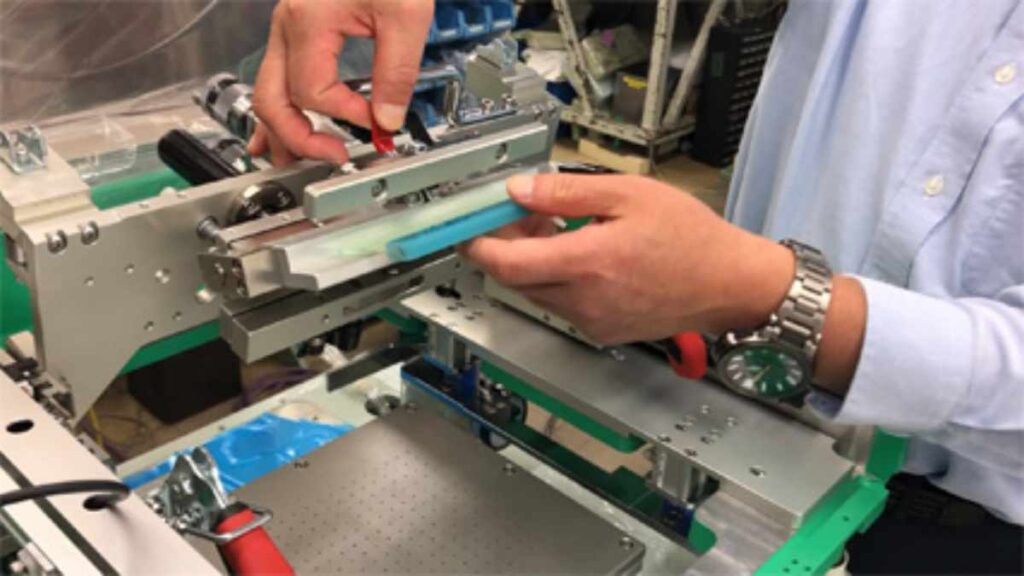
Quando a tinta não tem pigmento suficiente, as impressoras naturalmente tentam compensar pressionando demais o rodo. Isso resulta em bordas borradas e impressões pesadas e rígidas. Desenvolvemos a ECOPRINTINK com alto teor de sólidos, para que você obtenha a cor desejada com menos passadas.
Depois, há o problema do "arrancamento" — aquela textura irregular que aparece quando a tinta barata se acumula na parte de trás das telas durante uma longa tiragem e começa a puxar a tinta da próxima camiseta. A solução é usar uma tinta de alta qualidade. Tinta plastisol sem PVC Mantém tudo funcionando sem problemas, para que você não precise parar a impressora a cada dez minutos para limpar.
Reduzindo o retrabalho causado pela baixa opacidade
| Causa | Solução |
| Baixa pigmentação na tinta | Mude para uma tinta plastisol branca de alta opacidade. |
| Baixa contagem de malha | Use uma malha mais fina (por exemplo, 86 ou 110) para a base. |
| Pressão fraca do rodo | Calibre a impressora automática ou treine as impressoras manuais para obter ângulos consistentes. |
| Absorção deficiente da roupa | Ajuste a distância de afastamento da tela. |
A baixa opacidade é o principal motivo pelo qual as estampas ficam com aparência "barata" em tecidos escuros. Se a base branca não for brilhante, todas as outras cores por cima ficarão sem brilho. Sempre digo aos meus clientes: não economizem na tinta branca. Ela é a base de toda a estampa.
Prevenção da migração de corantes em peças de vestuário de poliéster
A migração de corantes é um verdadeiro pesadelo para qualquer pessoa neste ramo. Você termina um lote de camisetas vermelhas com logotipos brancos brilhantes, apenas para vê-las ficarem rosa alguns dias depois. Isso acontece porque os corantes do poliéster se transformam em gás quando aquecidos e mancham a tinta.
Para evitar que isso aconteça:
- Use tinta de baixa dispersão: Tintas com fórmula especial atuam como um escudo ou uma barreira.
- Mantenha a temperatura baixa: Use tintas que curam a temperaturas mais baixas — em torno de 270°F a 290°F — em vez dos habituais 320°F.
- Observe o tecido: Alguns poliésteres "sublimados" são praticamente impossíveis de imprimir sem um bloqueador especial de carbono cinza.
Evitando a cura insuficiente e falhas na lavagem
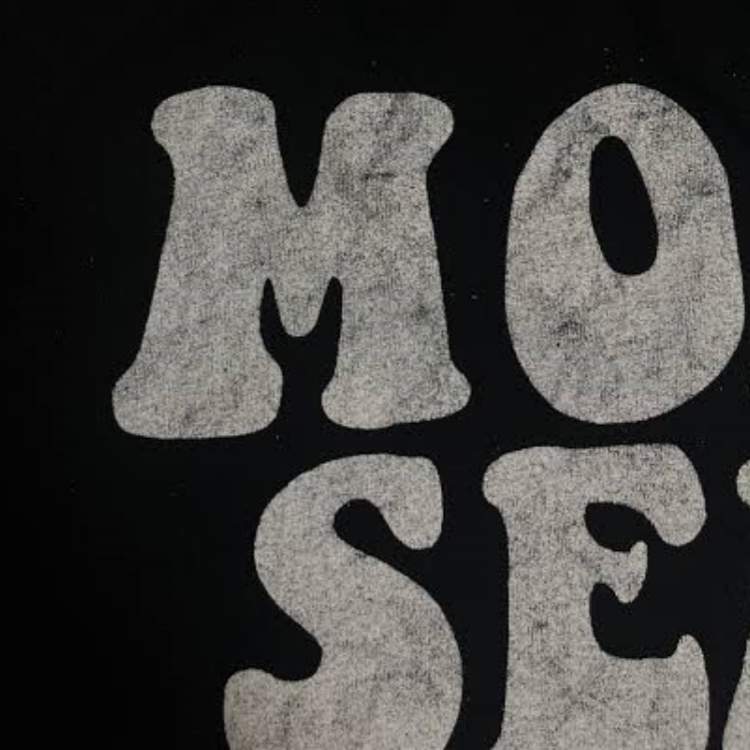
Nada destrói uma reputação mais rápido do que uma camisa que descasca na primeira lavagem. Quase sempre, esse é um problema que se resolve com uma solução.
- Cause: Muitas vezes, a secadora está funcionando muito rápido ou a temperatura está muito baixa.
- Cause: Pode ser que a camada de tinta esteja tão espessa que o calor não consiga atingir a camada inferior para fixá-la.
- Solução: Utilize uma sonda em formato de "rosquinha" ou fita térmica para verificar se toda a película de tinta atingiu a temperatura necessária.
Já vi lojas confiarem exclusivamente no visor digital da secadora. Não façam isso. O visor mostra a temperatura do ar, não a temperatura real da roupa. Testar a temperatura de forma consistente é a única maneira de garantir a solidez da cor após a lavagem.
Prevenção da variação de cor entre lotes de produção
"O azul deste lote não corresponde ao azul do mês passado." Todo gerente de produção teme esse telefonema. A variação de cor ocorre quando as tintas são misturadas manualmente sem uma escala ou quando o fabricante da tinta tem um controle de qualidade deficiente.
5. Na ECOPRINTINK, utilizamos dosagem controlada por computador para garantir que cada balde de tinta especial para serigrafia é idêntico ao anterior. Para sua própria loja, sempre registre a “receita” exata e a contagem de fios utilizada. Mesmo usar uma malha diferente pode alterar a aparência da cor no tecido.
Reduzindo problemas de registro e transferência de tinta
Se o seu logotipo parecer desfocado ou apresentar bordas "fantasmas", o seu registro está incorreto.
- Verifique a tensão da tela: Você precisa garantir que suas telas estejam tensionadas com pelo menos 20 a 25 Newtons. Telas frouxas se movem durante a impressão.
- Adesivo para paletes: Não negligencie a cola; se a camiseta se mover um pouquinho que seja entre as cores, toda a estampa estará arruinada. Use uma cola de alta qualidade e resistente à luminescência.
- Configurações do Flash: Se você secar demais a primeira cor durante a fase de "secagem rápida", a próxima cor não irá aderir. A tinta deve estar "seca ao toque", mas não completamente curada.
Como a viscosidade estável da tinta reduz os defeitos de impressão
Você já reparou como algumas tintas ficam "cremosas" depois de serem trabalhadas, enquanto outras permanecem espessas e difíceis de espalhar? Isso é viscosidade. Se ela mudar muito durante a impressão, a quantidade de tinta que vai para a camiseta também muda. Quando você tem uma tinta estável, a primeira camiseta da pilha ficará exatamente igual à milésima.
Como os parâmetros de produção devem ser padronizados
É fundamental ter um procedimento operacional padrão (POP) estabelecido. Cada tarefa deve ter uma ficha técnica que indique à equipe exatamente o que usar:
- Número de fios por cor.
- Durômetro de rodo (dureza).
- Configurações de velocidade e temperatura da secadora.
- Tinta específica para serigrafia em tecido.
A padronização elimina as "suposições". Quando uma gráfica sabe exatamente qual ferramenta usar, comete menos erros.
Controle de qualidade da tinta recebida versus controle de qualidade da impressão em processo.
Faça o que fizer, não espere até terminar 500 peças para perceber que algo está errado.
- Controle de qualidade de entrada: Quando um novo lote de tinta chegar, faça primeiro um teste de "aplicação". Compare-o com sua amostra padrão para ter certeza de que a cor está correta.
- Controle de qualidade em processo: Durante a impressão, verifique a cada 10ª ou 20ª camiseta. Procure por qualquer desalinhamento ou "borrões" (tinta escorrendo onde não deveria).
Como realizar uma análise de causa raiz para defeitos de impressão
Quando as coisas dão errado, não basta consertar a camisa — é preciso consertar o sistema. Eu gosto de usar a técnica dos "5 Porquês" para chegar à raiz do problema.
- Problem: A tinta está saindo.
- Por que? Não curou.
- Por que? A secadora estava muito fria.
- Por que? A resistência quebrou.
- Por que? Não fizemos nossa verificação de manutenção semanal.
- Causa raiz: O problema real geralmente é apenas a falta de um cronograma de manutenção.
Como calcular o custo real do retrabalho
A maioria dos proprietários só considera o custo da camisa desperdiçada. Eis a verdadeira fórmula:
(Custo da peça de vestuário + Custo da tinta/produtos químicos + Tempo de mão de obra por unidade) x Número de unidades defeituosas + Penalidades por atraso no envio.
Se você gasta 2 horas consertando 20 camisetas, são 2 horas que você deixou de usar para imprimir novos pedidos lucrativos. Refazer o trabalho é uma "dupla perda" — você perde dinheiro com o produto ruim e perde o "custo de oportunidade" do tempo desperdiçado.
Lista de verificação para redução de retrabalho em fábricas de estamparia de vestuário
- Verificar a tensão da tela: Qualquer valor abaixo de 15 Newtons representa um risco significativo.
- Temperatura de cura do teste: Use uma sonda térmica todas as manhãs.
- Verifique a data de validade da tinta: Embora o plastisol dure bastante tempo, a tinta antiga às vezes pode se separar.
- Inspeção do primeiro artigo: Um supervisor deve aprovar a primeira camiseta antes do início da produção em larga escala.
- Paletes limpos: Remova o acúmulo de fiapos que causa irregularidades na impressão.
- Utilize componentes de qualidade: Para obter resultados consistentes, utilize uma tinta serigráfica dourada confiável e uma base branca.
Perguntas frequentes sobre operações de impressão em grande escala
Como as tintas ecológicas afetam minha taxa de retrabalho?
As opções modernas e ecológicas, como nossa tinta plastisol sem PVC, são projetadas para serem substitutas diretas. Elas possuem excelente estabilidade na impressão, o que significa que não secam na tela. Isso, na verdade, reduz a necessidade de retrabalho em comparação com as tintas à base de água tradicionais, que entopem constantemente.
Estamos caminhando rumo à fabricação com zero emissão de poluentes. Sua tinta está em conformidade com essa norma?
Sim. Nossas linhas ecológicas atendem aos principais padrões internacionais, como os requisitos da OEKO-TEX e da GOTS para conteúdo livre de ftalatos e chumbo. Grandes marcas agora exigem essas certificações para evitar o retrabalho de uma remessa inteira rejeitada devido à não conformidade química.
Usar tinta branca de alta opacidade realmente economiza dinheiro?
Com certeza. Se você usar uma tinta branca barata, pode precisar de duas passagens (impressão-secagem rápida-impressão-secagem rápida-impressão). Se usar uma tinta plastisol branca de alta qualidade, muitas vezes consegue o mesmo brilho em uma ou duas passagens. Isso economiza tinta, economiza energia e acelera toda a sua linha de produção.
Como faço para evitar que a tinta transfira para tecidos mistos de algodão e poliéster?
O efeito fantasma deixa um halo amarelo ou pálido e tênue ao redor da sua cura. Geralmente ocorre dentro da secadora ou logo na saída.
Para matá-lo:
Mantenha as superfícies da sua plataforma limpas e livres de resíduos pegajosos.
Não empilhe as camisas ainda quentes. Deixe as peças esfriarem antes de colocá-las empilhadas ou em caixas, diretamente da esteira.
Qual a melhor forma de lidar com a correspondência de cores para marcas de luxo?
Utilize um sistema de correspondência de cores dedicado. Nunca tente identificar uma cor "a olho nu". Fornecemos fórmulas para nossa tinta plastisol de serigrafia que permitem atingir com precisão a cor 95%+ da biblioteca Pantone, o que evita reimpressões solicitadas pelos clientes antes mesmo de começarem.
 EN
EN  PT
PT  ES
ES  DE
DE  FR
FR  IT
IT  JA
JA  PL
PL